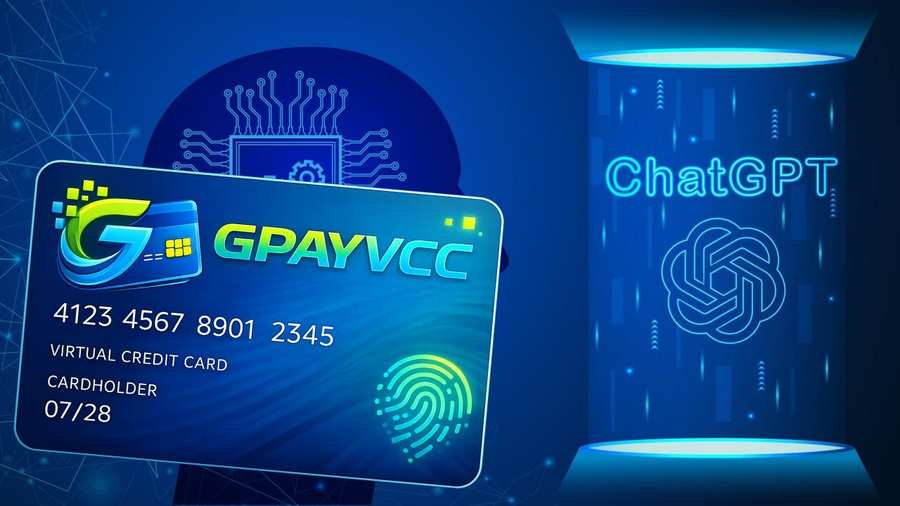
Paying for ChatGPT Plus from Russia is easier than most people think. OpenAI does not accept Russian bank cards or local payment methods, but there is a simple way around this. At Gpayvcc, we offer virtual credit cards (VCC) that work for ChatGPT Plus payment methods in Russia. Our prepaid cards are issued instantly, accepted globally, and keep your real card details safe. Whether you are a freelancer, a business owner, or just someone who wants access to ChatGPT 5 accounts or a ChatGPT Plus free trial, our VCC makes it possible. The ChatGPT Plus cost is $20 per month, and our cards cover it without issues.
Get Your Virtual Card Instantly 🚀
Open your account today, make a quick deposit, and generate your virtual card in seconds.
Secure, fast, and ready to use — anytime, anywhere.
Create Your Account Now
Follow 4 Simple Steps to Purchase a Card from Gpayvcc
Step 1: Create and Verify Your Account
Sign up on the website and verify your email address to activate your account.
Step 2: Make a Deposit
Log in to your dashboard, click on Deposit > New Deposit, and add funds to your wallet.
Step 3: Go to the Card Section
After funding your account, navigate to Card Options and click the "Issue a New Card" button.
Step 4: Enter Card Details & Complete Payment
Fill in the required information carefully, then click the "Pay & Issue" button. Once the payment is successful, your card will be generated instantly and ready to use with just one click.
Is ChatGPT Plus Available in Russia? (Current Status in 2025–2026)
No. Russia is not on OpenAI’s official list of supported countries. There is no local Ruble plan or direct ChatGPT Plus payment method in Russia today. Users in Russia face limits at the payment stage, even if account sign-up works.
If you plan to pay for Plus, you must understand the access and billing limits first. This helps you avoid failed charges or blocked accounts.
Official OpenAI Stance on Russian Users
OpenAI does not list Russia as a supported country. Account creation may still be possible. Payment is the main barrier.
Most Russian-issued bank cards do not process foreign online charges due to sanctions and card network exits. Since OpenAI is a US-based company, many Russian cards fail at checkout. There is no official OpenAI payment method for Russia-based users at this time.
Does ChatGPT Work in Russia Without a VPN?
Access to the free tier may work from Russian IP addresses, depending on local network rules. Paying for ChatGPT Plus is different. Billing checks the card’s country and bank.
Using a VPN does not fix payment limits. It may also trigger account reviews if the billing country and IP do not match. Users risk payment failure or account blocks when using geo workarounds.
ChatGPT Plus Pricing: What Russian Users Actually Pay
Price in rubles is one of the most searched questions about ChatGPT Plus.
ChatGPT Plus costs $20 per month at the global rate. There is no official RUB price for Russia. OpenAI does not offer local billing in rubles.
Russian users must pay in USD. That means the final cost depends on the exchange rate and the payment method used.
Official USD Price of ChatGPT Plus
The standard price is $20 per month. This rate is the same for most countries. OpenAI does not set a fixed RUB price. There is no local plan for Russia. All charges are processed in US dollars.
Real Cost in Russian Rubles (2025–2026)
The ruble cost isn't fixed. It shifts based on the exchange rate and how you pay.
Exchange rates move daily. Here are two concrete examples using mid-market rates from early January 2026:
Rate A: 1 USD = 80.86 RUB → $20 × 80.86 = 1,617.20 RUB
Rate B: 1 USD = 79.02 RUB → $20 × 79.02 = 1,580.42 RUB
Those are base conversions. Your bank or card issuer will add an FX markup on top, and some billing routes include VAT.
For most Russian users, the real monthly cost has three layers:
| Cost Factor |
What It Is |
Estimated Impact |
| Exchange Rate |
Mid-market rate in early 2026 sits around 95 RUB per USD. Base cost: ~1,900 RUB |
Variable |
| Intermediary Fee |
Virtual card services and Telegram-based top-up tools (like Plati.market) typically add 15–30% |
+300–600 RUB |
| Service Fees |
Global accounts routed through Kyrgyzstan, Kazakhstan, or Turkey often carry deposit fees and internal conversion spreads |
+5–10% |
Note: After all fees, most Russian users pay between 2,500 and 3,200 RUB per month for ChatGPT Plus.
Why the Price Differs Across Payment Methods
Russian bank cards often fail for foreign charges. If a payment goes through, the bank may apply a higher FX rate.
How you pay determines what you pay. Here's why costs vary:
Bank FX spread: Your bank adds a markup on top of the mid-market rate on any foreign transaction.
Virtual card fees: Most providers charge an issuance or top-up fee to create a card that works with OpenAI.
App Store / Google Play: Apple and Google add roughly 30% to the base subscription price.
Third-party resellers: These set their own rates, which are often higher than going direct.
Why Russian Bank Cards Don't Work on ChatGPT Plus
Russian cards don't fail by accident. There are real structural reasons behind every declined payment — and knowing them helps you find a fix faster.
Which Card Networks Are Blocked
Visa and Mastercard — suspended since March 2022: Both networks cut ties with Russian banks after sanctions hit. Cards still look valid, but they can't process payments outside Russia.
Mir cards — rejected by international platforms: Mir works inside Russia. Outside it, almost no platform accepts it — OpenAI included.
UnionPay — unreliable at best: Some UnionPay cards issued by Russian banks have worked briefly, but OpenAI declines most of them. Don't count on it.
Sanctions and Payment Processor Restrictions
Stripe blocks Russian billing addresses: OpenAI runs payments through Stripe. Stripe checks your card's country of origin and billing address — Russian details trigger an automatic block before the charge even reaches OpenAI.
Your card's BIN gives you away: The first six digits of your card number identify the issuing bank and country. Stripe reads that instantly. If it points to Russia, the payment fails — no matter what billing address you enter.
Common error messages — and what they actually mean:
✅ "Card declined" — Stripe blocked it at the network or BIN level.
✅ "Your card does not support this type of purchase" — the card network (Visa/Mastercard) has suspended the issuing bank.
✅ "Unable to authorize payment" — the transaction was rejected before it reached your bank.
None of these errors mean your card is broken. They mean the payment route itself is closed. The fix is a card issued outside Russia — which is exactly what we offer at Gpayvcc.
Payment Methods That Actually Work for ChatGPT Plus from Russia
Not every method is equal. Here's what works, what costs more, and what to avoid.
Method 1 — Virtual Dollar Cards (Most Reliable)
What it is: A virtual card issued by a bank outside Russia. It carries a non-Russian BIN, so Stripe and OpenAI process it without issue.
How our cards work at Gpayvcc: We issue Visa and Mastercard virtual cards tied to non-Russian accounts. You fund the card in rubles, we convert and load it in USD — you pay on ChatGPT like anyone else in the world.
Step-by-step:
Step-1: Create your Gpayvcc account and get a virtual card issued.
Step-2: Fund it via domestic bank transfer or crypto top-up.
Step-3: Enter your card details on ChatGPT Plus checkout — done.
Card types accepted by OpenAI: Visa and Mastercard virtual cards issued outside Russia. That's exactly what we provide.
Funding options: Russian bank transfer (SBP, card-to-card) or USDT crypto top-up — whichever works for you.
Issuance time: Cards are ready in minutes. Funding clears fast, usually within the hour.
Method 2 — Foreign-Issued Cards (Friend or Family Abroad)
Use a card from a non-sanctioned country: If someone you trust has a card issued in Kazakhstan, Georgia, Armenia, or the EU — it will work on OpenAI.
Billing address matters: Enter the cardholder's real address. A mismatched address triggers a decline on Stripe's end.
Know the risks: OpenAI may flag the account if payment location and usage location don't match. Chargebacks can cause account bans. This method works, but it's not in your full control.
Method 3 — App Store Workaround (iOS / Android)
Subscribe through a foreign App Store account: Create an Apple ID or Google account set to a non-Russian region (US, Kazakhstan, Turkey). Subscribe to ChatGPT Plus from there.
How to fund it: Buy App Store or Google Play gift cards from reseller sites that sell foreign-region codes. Top up your account balance, then subscribe.
The cost problem: Apple and Google add roughly 30% on top of the $20 base price. You're paying closer to $26/month for the same thing.
Stability warning: If Apple detects a region mismatch, your account may be restricted. Subscriptions can break when App Store regions change.
Method 4 — Third-Party Account Top-Up Services
What they offer: Some services sell pre-activated ChatGPT Plus accounts or shared access at a flat fee. No card needed on your end.
The real risk: These accounts violate OpenAI's terms of service. Bans happen without warning, and there's no official support when they do. You lose access and your money.
Our take: Use this only if every other method has failed. It's not a stable solution.
Method 5 — Cryptocurrency-Based Payment Routes
OpenAI does not accept crypto directly: There's no Bitcoin or USDT option at checkout.
Crypto can still fund your virtual card: Deposit USDT or another major token into a platform that issues virtual USD cards — from Gpayvcc. We convert it and load your card. You pay OpenAI in USD as normal.
Why this works for many Russian users: Crypto moves without banking restrictions. It's one of the cleanest ways to get funds onto a working card when traditional transfers hit limits.
How to Subscribe to ChatGPT Plus from Russia Using Gpayvcc (Step-by-Step)
We built this process to be simple and clear. Follow these steps and you can activate ChatGPT Plus without payment errors.
Step 1 — Create Your Gpayvcc Account
Sign up at Gpayvcc: Registration takes a few minutes. Enter your name, and email to get started
Step 2 — Fund Your Gpayvcc Wallet
Russian bank transfer: Send rubles via SBP (Faster Payments System) or a direct card-to-card transfer. Funds arrive within minutes in most cases.
Crypto top-up: Deposit USDT (TRC-20 or ERC-20) directly to your Gpayvcc wallet. We convert it to USD and credit your balance.
Minimums and timing: The minimum top-up is $5 equivalent. Bank transfers clear within 1–15 minutes. Crypto confirmations depend on the network but typically land within the hour.
Step 3 — Issue a Virtual USD Card
Card type: We issue Visa and Mastercard virtual cards with non-Russian BINs. These are the card types OpenAI and Stripe accept without issue.
Limits: Our cards handle recurring charges with no problem. A $20/month subscription sits well within standard card limits.
Spending controls: Inside your Gpayvcc dashboard, you can set a monthly spend cap on your card. This keeps auto-renewals from pulling more than you expect.
Step 4 — Enter Card Details on ChatGPT Plus
Where to go: Log in at chat.openai.com → click your profile → Upgrade to Plus → enter payment details at checkout.
Billing address: Use the address tied to your Gpayvcc card — not your Russian address. A mismatched address is the most common reason first charges fail.
If the charge fails, run through this checklist:
✔️ Is your card balance at least $20?
✔️ Did you enter the card number, expiry, and CVV correctly?
✔️ Is the billing address exactly as registered on your Gpayvcc account?
✔️ Did you try a different browser or clear your cache?
✔️ Contact our support team if the issue persists — we can check if the BIN needs a swap.
Step 5 — Managing Your Recurring Subscription
How auto-renewal works: OpenAI charges your card on the same date each month. As long as your Gpayvcc balance covers $20, the renewal goes through with no action needed from you.
Keep your balance topped up: A failed renewal can pause your Plus access. We recommend keeping at least $25 on your card going into renewal date — the buffer covers any FX rounding.
Cancelling your subscription: Cancel anytime inside ChatGPT settings under Manage Subscription. Your Plus access stays active until the end of the billing period. Your Gpayvcc card balance stays in your wallet — withdraw or use it however you like.
Gpayvcc Virtual Cards: What Russian Users Need to Know
Before you enter your card details anywhere, you deserve to know exactly what you're working with. Here's everything that matters.
Card Specifications and Compatibility
Supported networks: We issue both Visa and Mastercard virtual cards. You choose which network works best for your needs at the time of issuance.
BIN compatibility with OpenAI and Stripe: Our card BINs are tested and confirmed to work with Stripe's payment system — the processor OpenAI uses. Russian BINs are the reason most cards fail here. Ours aren't Russian.
Single-use and multi-use options: Need a card just for one charge? Use a single-use card — the number expires after the first transaction. For a recurring ChatGPT Plus subscription, go with a multi-use card that stays active month to month.
Security and Fraud Protection
Virtual cards limit your exposure: Your Gpayvcc card number is separate from any personal bank account. If a number is ever misused, only the balance on that card is at risk — nothing else.
Wrong charge from OpenAI? If OpenAI bills an amount you didn't authorize, flag it in your Gpayvcc dashboard right away. We'll review the transaction and guide you through the next steps.
Dispute and chargeback process: Submit a dispute through your Gpayvcc account. We work with the card network on your behalf. Keep your subscription confirmation emails — they're your best evidence.
Fees and Limits Breakdown
Issuance fee: A small one-time fee applies when you create a new card. This covers the cost of card setup and BIN allocation.
Top-up fees by method: Bank transfers (SBP, card-to-card) carry a low flat fee. Crypto top-ups via USDT include a conversion spread — you'll see the final amount before you confirm.
Spending limits: Standard cards cover well above the $20/month ChatGPT Plus charge. Higher limits are available if you need them.
Currency conversion: We convert rubles or crypto to USD at the mid-market rate plus a small spread. You see the exact rate before your funds are loaded — no surprises at checkout.
Common Mistakes and How to Avoid Them
Using a Russian billing address: This is the top reason first payments fail. Always enter the billing address tied to your Gpayvcc card — not your home address in Russia.
Insufficient balance on the first charge: OpenAI places a small authorization hold before the full $20 charge. Make sure your card has at least $22–$25 when you first subscribe, not exactly $20.
VPN mismatches: If your VPN routes you through one country but your card is registered to another, Stripe may flag it. Turn off your VPN when entering payment details, or make sure your VPN location matches your card's registered region.
Using one card across multiple OpenAI accounts: OpenAI tracks payment details. Using the same card on two or more accounts can trigger a ban on all of them. Use a separate card for each account.
ChatGPT Plus Features and Limits — What You're Paying For
Before you pay $20 per month, you should know what you get. We want you to make a clear decision, not an impulse one.
What ChatGPT Plus Includes
GPT-4o & 5 access, with priority when traffic is high: Free users get bumped down during busy hours. Plus keeps you at the front of the line.
Higher message limits: The free tier hits its ceiling fast. Plus gives you significantly more messages per session before any slowdown kicks in.
Built-in tools included: Your subscription covers DALL·E image generation, Advanced Data Analysis (upload files, run calculations), and web browsing — all inside the same chat window.
Custom GPTs: Access thousands of purpose-built GPT versions made by OpenAI and other users — for coding help, writing, research, and more.
Usage Limits on ChatGPT Plus
Message caps apply every 3 hours: GPT-4o & 5 has a set limit per window — currently around 80 messages per 3 hours, though OpenAI adjusts this. GPT-4 (where still available) has tighter limits than GPT-4o.
Hit the cap? You fall back, not out: When you reach your limit, ChatGPT switches you to GPT-4o mini or a lighter model automatically. You can keep chatting — just with less power until the window resets.
Plus does not include API access: This trips up a lot of users. ChatGPT Plus is a subscription to the chat interface only. If you want to use OpenAI's API to build tools or run automated tasks, that requires a separate OpenAI API account with its own billing and a card that works internationally. That's a different product entirely.
Is ChatGPT Plus Worth It for Russian Users in 2026?
Casual users may not need it: If you chat a few times a week and don't hit free-tier limits, Plus adds little value. The free tier with GPT-4o access covers most everyday use.
Power users will feel the difference: If you're writing, coding, or analyzing data daily, the higher limits and tool access pay off quickly. Losing an hour of work because you hit a cap costs more than $20/month.
Need API access? Plus won't help: If your goal is to run OpenAI models in your own app or workflow, you need API credits — not a Plus subscription. A Gpayvcc virtual card works for both, but make sure you're funding the right OpenAI account type from the start.
Too expensive after fees? At 2,500–3,200 RUB/month all-in, Plus isn't cheap. If that's a stretch, consider these options:
✔️ ChatGPT Free — still runs GPT-4o with daily limits.
✔️ Claude.ai — Anthropic's AI, strong at writing and analysis, free tier available.
✔️ Perplexity AI — good for research and search-based tasks, free plan included.
Paying for OpenAI API Access from Russia (For Developers)
If you build apps, bots, or tools, you don’t need ChatGPT Plus. You need API access. The billing works differently, so let’s break it down clearly.
OpenAI API vs. ChatGPT Plus — Different Billing Systems
API runs on prepaid credits, not a monthly subscription: You add money to your OpenAI API account and spend it as your usage runs. No fixed monthly charge — you pay for what you use.
Minimum credit purchase is $5: That's enough to test most integrations. OpenAI also lets you set an auto-reload threshold — your balance tops up automatically when it drops below a level you choose.
How to Top Up OpenAI API Credits from Russia
A Gpayvcc virtual card works the same way here as it does for Plus: Go to platform.openai.com → Billing → Add payment method. Enter your Gpayvcc card details and load credits from there.
Start small: Add $10–$20 to begin. This covers real testing without locking up funds while you're still figuring out your usage patterns. You can always add more.
Watch your usage closely: OpenAI's usage dashboard updates in near real time. Check it often — API costs can climb faster than expected, especially when running repeated calls or large prompts. Set a monthly spend limit inside your billing settings to stay in control.
Rate Limits on OpenAI API Free Tier vs. Paid Tier
New accounts start with low limits regardless of how much you deposit: OpenAI assigns rate limits based on account tier, which is tied to how much you've spent over time — not how much you've loaded upfront.
Tiers progress with cumulative spend: Here's how it works:
| Tier |
Requirement |
What Changes |
| Free |
No payment added |
Very low request limits |
| Tier 1 |
$5+ paid |
Higher limits unlock |
| Tier 2 |
$50+ paid over 7+ days |
More requests per minute |
| Tier 3 |
$100+ paid over 30+ days |
Broader model access and higher throughput |
What this means for you: Don't expect high-volume access on day one. Start with a small credit load, build up your spend history, and your limits will grow with it. This is OpenAI's way of managing server load — it applies to every new account, everywhere.
Frequently Asked Questions
Does ChatGPT Plus accept UnionPay from Russia?
In most cases, no.
China UnionPay cards issued in Russia usually fail on OpenAI payments. Approval depends on the issuing bank and processing route, but success rates are low.
If you want stable approval, use a virtual Visa or Mastercard issued outside Russia.
Can I pay for ChatGPT Plus with a Russian Sberbank card?
No. Cards issued by Sberbank do not work for foreign online payments like ChatGPT Plus. The charge is blocked at the network level. This applies to most Russian banks, not just one.
Will using a VPN get my ChatGPT account banned?
A VPN alone does not cause a ban. Problems start when your IP country, billing country, and account region do not match.
We suggest keeping things consistent. Use the same country for your card billing and account setup. Avoid switching locations during payment.
How much is ChatGPT Plus in rubles in 2025–2026?
The base price is $20 per month. The ruble amount depends on the exchange rate and any funding fees.
For example, if the rate is 100 RUB per USD, the cost is about 2,000 RUB. Add small card or top-up fees if they apply. Always check the live rate before funding your card.
What happens if my virtual card payment fails on OpenAI?
First, don’t panic. Most failures have simple causes:
✔️ Not enough balance
✔️ Card is frozen
✔️ Billing address mismatch
We recommend checking these three things first. If the issue continues, contact our support. We review the transaction and guide you step by step.
Can I get a free trial of ChatGPT Plus from Russia?
At this time, OpenAI does not offer a standard free trial for ChatGPT Plus. You must pay the monthly fee to activate it. The free version of ChatGPT is still available with limited features.
Is there a ChatGPT Plus discount or promo code available?
Public promo codes are rare. OpenAI does not usually run discount campaigns for Plus subscriptions. Be cautious with sites claiming large discounts. Many are not official.
How do I cancel ChatGPT Plus if I subscribed through a virtual card?
Log in to your ChatGPT account.
Go to My Plan → Manage Plan → Cancel.
The subscription stops at the end of the billing cycle. Your remaining balance stays on your virtual card. You can use it for API credits or other online payments. We designed our cards so you stay in control. Cancel anytime. No lock-in.